
In today’s evolving world of media and communication, markets are developing into specialized MBUs, Media Houses & Creative Agencies. Margins on media bookings are leaner and only volume talks. Media Managers, Planners and Buyers are increasingly eager for cutting edge solutions to gain better control over their business, keeping them one step ahead of the competition.
Visual Dolphin & Dolphin Horizon Media is the answer to these market changes. Tailor made specially for agencies, MBUs and media houses. it is designed by media professionals and is the result of a 30 years partnership with the world of media and communication. It is the ultimate media tool, designed by media experts for the media industry, letting you spend less time gathering information and more time using it.
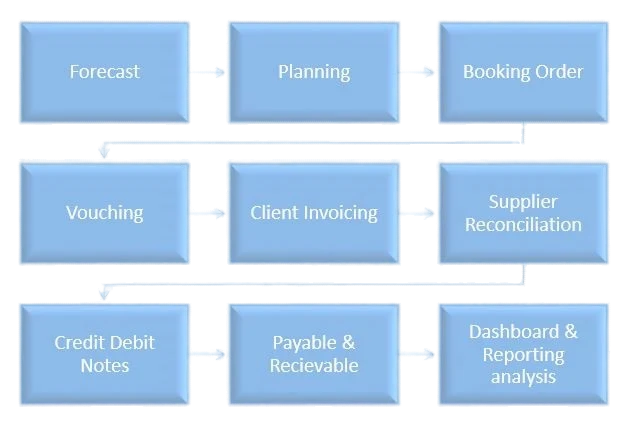

Its great advantage is the fully integrated system of management throughout every department in your agency, from defining clients media strategies to the collection of receivables and payables settlement; It seamlessly supervises the operational flow of an agency as a collaborative management tool: forecast, plans, schedules, booking orders and variations, sponsorship deals, monitoring, vouching, client billing, supplier reconciliations, volume rebates, alerts system, incentives, volume rebate… you name it, Visual Dolphin & Dolphin Horizon Media handles it all.
Advertisers demand a measurable return on their advertising spending, challenging the agencies to provide quantifiable evidence that their campaigns are successful and to guarantee the best return on investment to their clients. Visual Dolphin & Dolphin Horizon Media drills deep into the multitude amount of information and provides the right analysis that supports the agencies with the superior decision making.
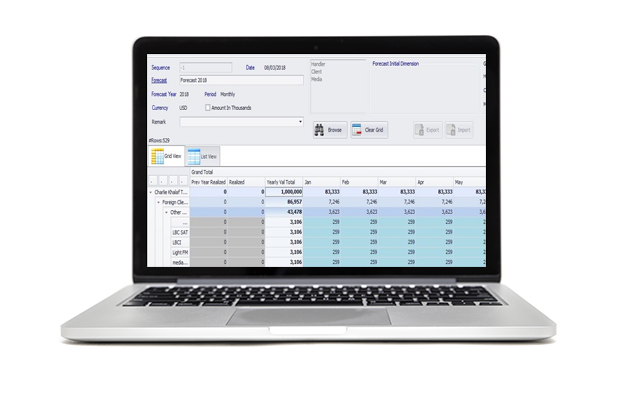
Visual Dolphin & Dolphin Horizon Media supports media buying units with centralized capabilities for budgeting and forecasting at the client, brand, media types and account handler levels. Such a tool gives the people in charge a clearer picture to make efficient decisions. You can anytime revise your budgets and track the achievements accordingly.
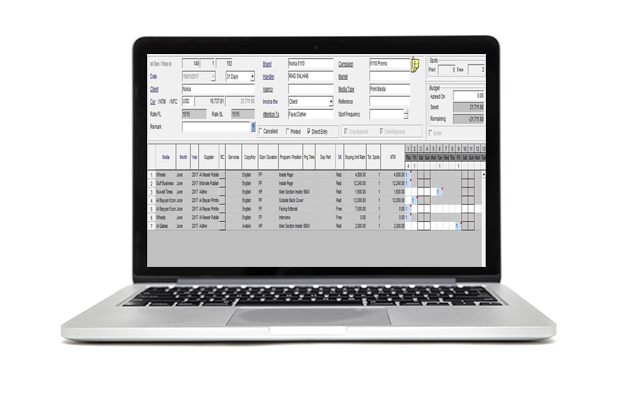
A media strategy specifies the means for achieving the media objectives. A strategic decision is how to allocate the media budget geographically; that is, deciding in which markets and media to advertise and how much to spend in each. Quoting the client is an easy and complete procedure in Visual Dolphin & Dolphin Horizon Media. It starts with the creation of plans/ schedules with all the related information such as client name, agency, party to bill (client or brand agency), market, contact person, campaign, campaign brief…
setting the budget and allocating the spots by media…
Several campaigns, months and media types may be grouped under same schedule and plan.
With Visual Dolphin Media/Dolphin Horizon, you can directly enter the schedule or start by setting a monthly or weekly plan and then distribute over days.
With Visual Dolphin & Dolphin Horizon Media, following plans and schedules is made easy. It is a real time, graphical page allocation tool for planning and managing the selling and production of advertising space within different media.
Start by a yearly plan deal, allocate the spots by month or week and drill down later to a monthly schedule where spots are spread on a daily basis and distributed in a 31 days sheet… Or just create directly your schedules and distribute them over different media, programs…
The agreed rate for the booking is defaulted from the rate card value and may be amended or modified specifically for a certain insertion.
Quotation entry is very flexible. It can be entered manually or imported from Microsoft Excel; and can be received as well electronically from agencies and imported automatically with a status “ready to be approved”.
Entries are managed in a form of an excel look like grid, where spots appears in their current status (booked, aired, invoiced) in various colors to make reading easy, friendly and fast. Spots can be booked with various spot kinds preset by the media buying unit (paid, free, compensation, resold spot…).
Subtotals by media, month with a direct comparison with the preset budget are displayed.
Each account executive/ handler may see only the schedules related to his clients.
Pro-forma invoices can be generated at the level of the schedule for clients who require official document for granting payment advances, prior to issuing the final invoices
As VD Media supports all types of media, info to be entered for each type while booking is different than the other… For radios, you may enter by day part or program the ads, whereas periodical booking (from date till date) is possible for quoting cinema, outdoor…
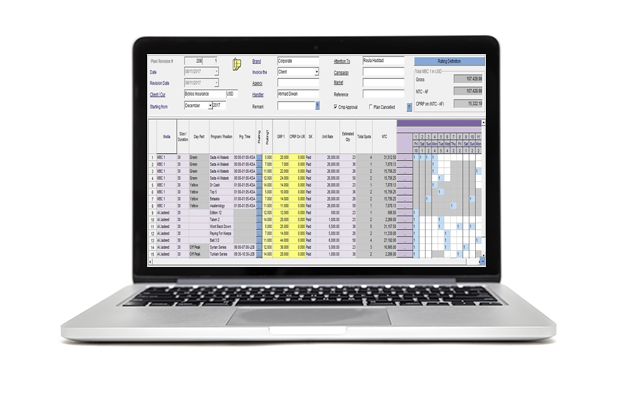
As a planner, knowing when and where to broadcast your ads is very important to reach the clients campaign goal. For that, a well-designed entry is done in VD for TV plans… Set your budget by media, expand to their programs grid, import the different market ratings and here you go… VD Media will now automatically calculate key ratings for you (GRP, CPRP…) and interact online with your budget set and incentive deals while you are spreading your spots over weeks or days.
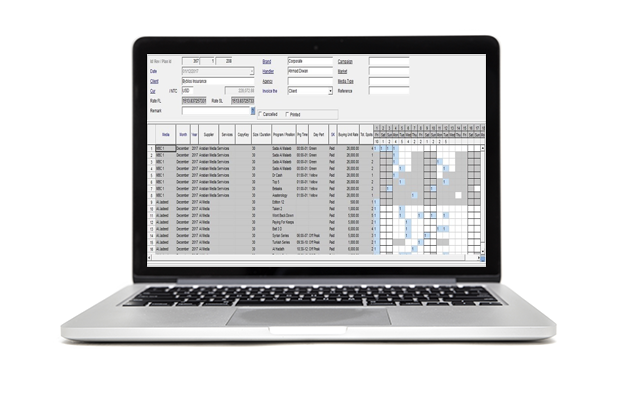
Booking component work in tandem with the approved schedule. A client can agree to a part of a proposed quotation. In other words he books for campaign partially leaving the decision on the remaining spots for a later stage. Each transaction displays the cost and the selling prices, hence allowing a visual (and on the spot) comparison to profit margins. An alert system informs the user on bookings generated but not yet printed or sent, as it might alert as well that the required material is not ready.
Changes in booking orders frequently occur for various reasons due to market and environmental circumstances. It sometimes creates confusion between clients and account handlers. Visual Dolphin & Dolphin Horizon Media instantly alerts all the entities concerned by the changes, facilitating smooth co-operation between the various players. Any change to a confirmed booking order will be saved as well in a log history so you can track later all the changes with their time stamp.. You may as well decide to print those changes as booking amendment order…