Built for complex business. Made refreshingly simple.Beirut Dubai Riyadh
DOLPHIN HORIZON SERVICE CENTER

Log it. Fix it. Bill it. Every repair under control.

Give your help desk, workshop, storekeepers and technicians one shared view of every job, from the first call to the final invoice.

Run repair workshops and customer service operations with tickets, job cards, warranty coverage, parts, technician scheduling, customer billing and service performance reports.

INDUSTRY WORKFLOWS · CONNECTED TO DOLPHIN HORIZON
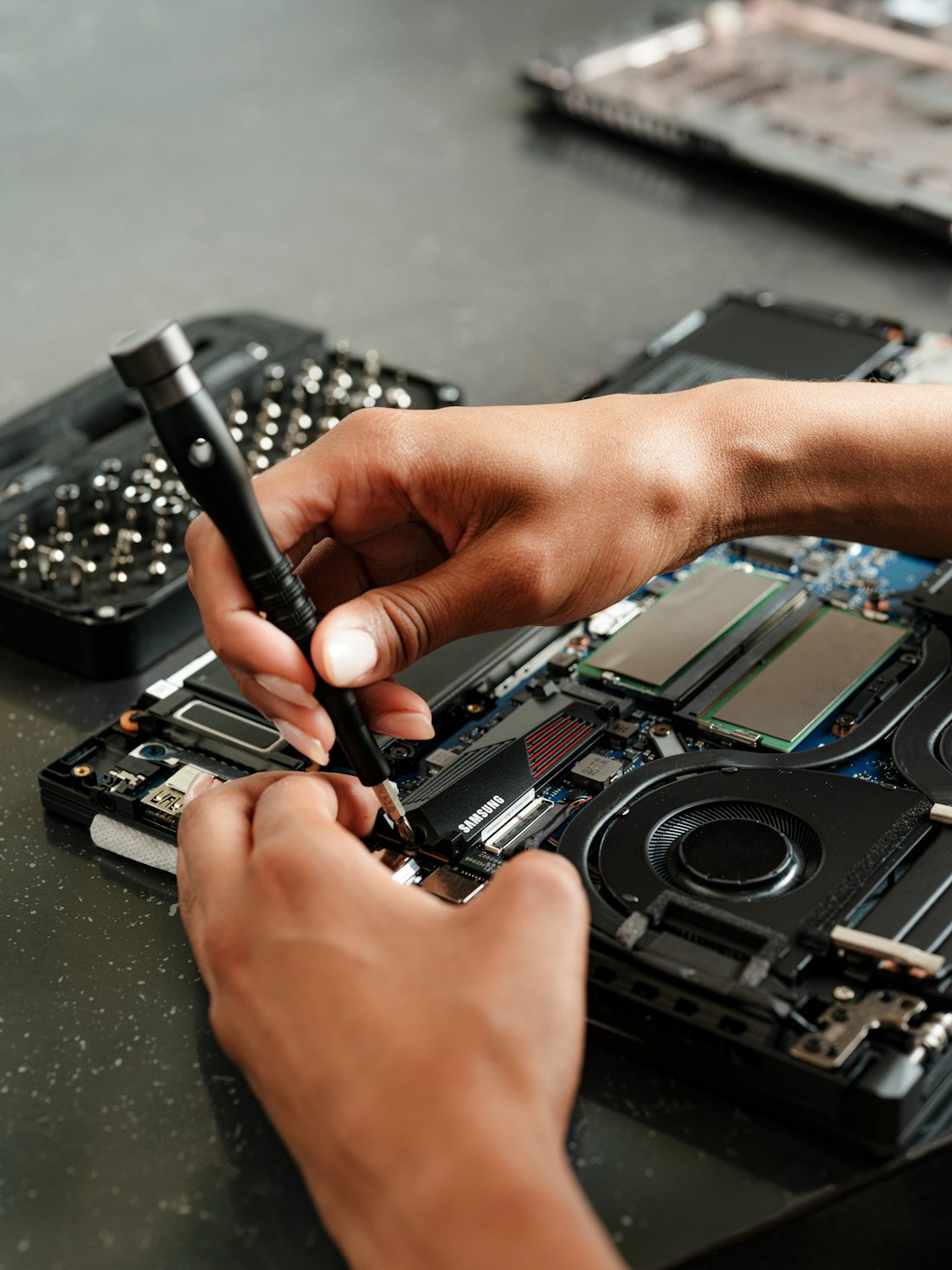
Close-up of an electronics technician repairing equipment at a service centerEvery repair accounted for
Intake to invoiceService in syncJobs · technicians · history
Tickets & job cardsHelp desk, walk-in & portal
Warranty & SLAChecked by serial number
Parts & billingCustomer, manufacturer or dealer
JobDor mobile appTechnicians in the field
CONNECTED OPERATIONS

Full control in the technician's pocket.

JobDor connects technicians in the workshop and in the field to Dolphin Horizon, so every task, part and minute is recorded where the work happens.

Technician servicing equipment onsite
JobDor for workshop and field teams
Watch the tour

Dolphin Horizon Service Center in Action

A short guided tour of Dolphin Horizon Service Center, with the workflows, benefits and reports your team uses every day.

BUSINESS BENEFITS

Faster repairs. Fewer lost claims. Happier customers.

Replace disconnected calls, spreadsheets and paper job cards with one process for every repair.

01

Turn Repairs Around Faster

Tickets go straight to the right technician through the workflow, with the item's full repair history and the parts it needs.

02

Never Miss a Warranty Claim

Coverage is checked by serial number, and covered repairs are billed back to the manufacturer or sub-dealer automatically.

03

Know Every Job's Profit

Labour time, spare parts and direct expenses are recorded on each ticket, so you see revenue and profitability by job and repair type.

04

Get Paid, Keep Customers Informed

Technicians collect payment on site, customers follow their repairs online and rate the service when the job closes.

ONE CONNECTED WORKFLOW

From First Call to Closed Ticket

Every repair follows the same traceable path, wherever it takes place.

STEP 01

Log the ticket

Register the defect from the help desk, call center, walk-in counter or customer portal.

STEP 02

Check & diagnose

Look up the serial number for warranty and repair history, inspect the item and prepare a first estimate.

STEP 03

Quote & schedule

Send the quotation, then assign task work orders to technicians on the calendar.

STEP 04

Repair & record

Technicians check in, follow checklists, request parts, log their time and collect payment, in the workshop or on site.

STEP 05

Bill & survey

Invoice the right party based on warranty and SLA terms, close the ticket and send the satisfaction survey.

WHO IT IS FOR

Built for repair and service operations

For service centers, dealers and maintenance providers that repair or maintain serialised products and equipment.

Mobile & wearables repair

Track high-volume consumer device repairs by ticket and serial number.

Consumer electronics

Manage televisions, audio, entertainment and related service jobs.

Home appliances

Handle workshop and onsite repairs for major and small appliances.

Computers & IT equipment

Control diagnosis, parts and service histories for IT assets.

Medical equipment

Support traceable maintenance processes for specialist equipment.

Marine & heavy equipment

Coordinate field teams, parts and repair histories for larger assets.

PLATFORM CAPABILITIES

Everything your service center needs

Explore the key modules of Dolphin Horizon Service Center, from the first ticket to the customer survey.

01 / 04

Tickets, Job Cards & Warranty

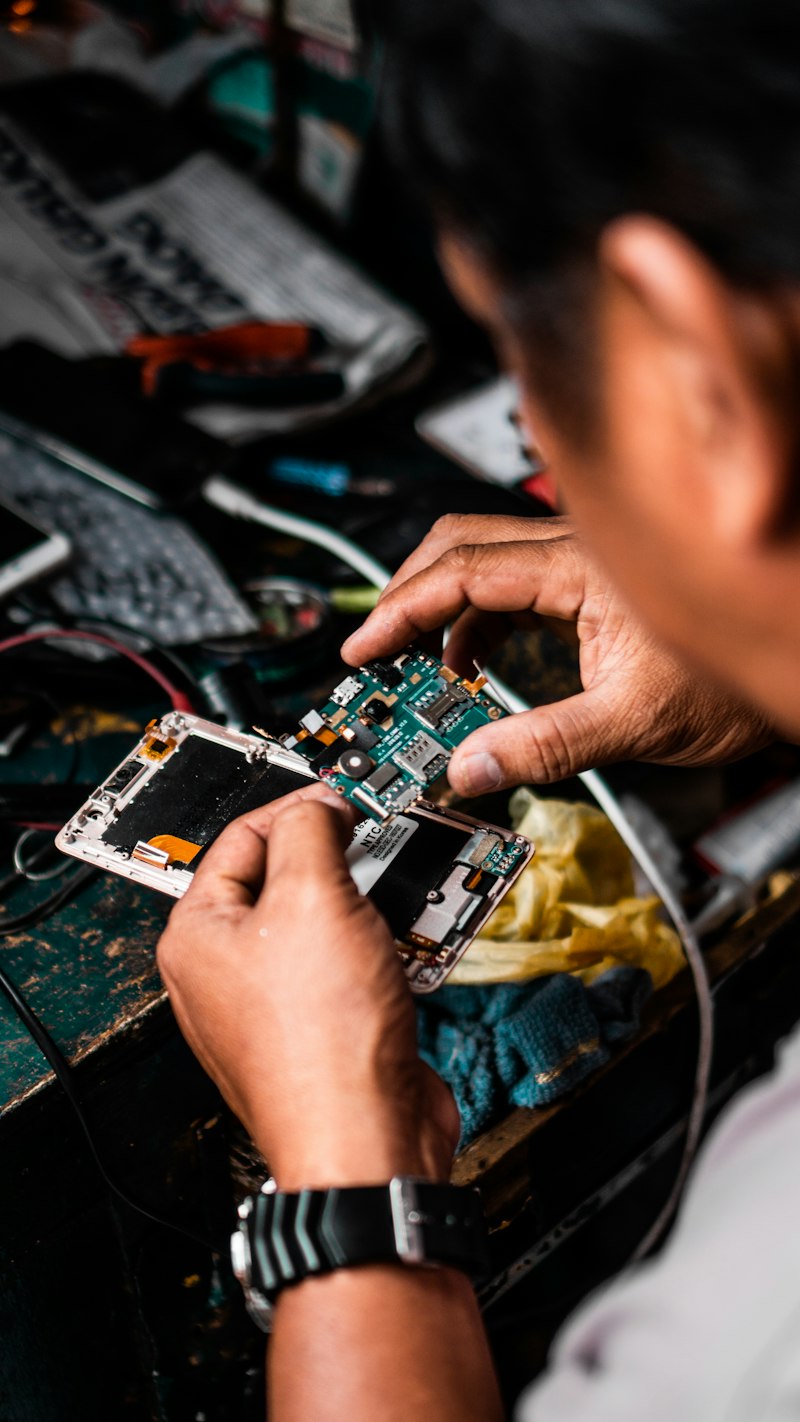
Technician repairing a smartphone circuit board

Know the item's story before you open it

Every ticket starts with the serial number, so the team sees the item's warranty, coverage and every past repair before work begins.

  • Help desk & call center tickets
  • Repair history by serial
  • Warranty & SLA checks
  • Workflow dispatch
01Tickets & Job CardsRegister the problem in seconds.Create tickets and job cards from the help desk or call center, record the defect, diagnose the problem and produce a first estimate of the repair.
02Workflow DispatchThe right job to the right team.Route tickets to the technical department through an integrated workflow, and follow progress with managerial views, alerts and reports.
03Repair History by Serial NumberEvery past repair, one search away.Track each item by serial number to see its previous repairs and maintenance actions before work starts.
04Warranty CoverageKnow exactly what is covered.Define warranties for labour, parts or both, with excluded parts. Support company, manufacturer, extended retail warranties and annual maintenance agreements.
05Swap or RepairChoose the fastest fix for the customer.Swap the item when the warranty allows, or repair it, with the decision and the parts recorded on the ticket.
06Repairs AnywhereWorkshop, walk-in counter or customer site.Manage repairs in the workshop, in store for walk-in customers, for items sent by courier, or at the customer's premises.
07Built-In CRMThe whole customer relationship in one place.Contacts, client history, each item's track record, direct mail updates, statements of account, balances and visit reports.
08RMA ReportingKeep manufacturers and head office informed.Send reports on fixes and repairs to head office and manufacturers, with RMA handling for certified service centers.
02 / 04

Quotation, Billing & Spare Parts

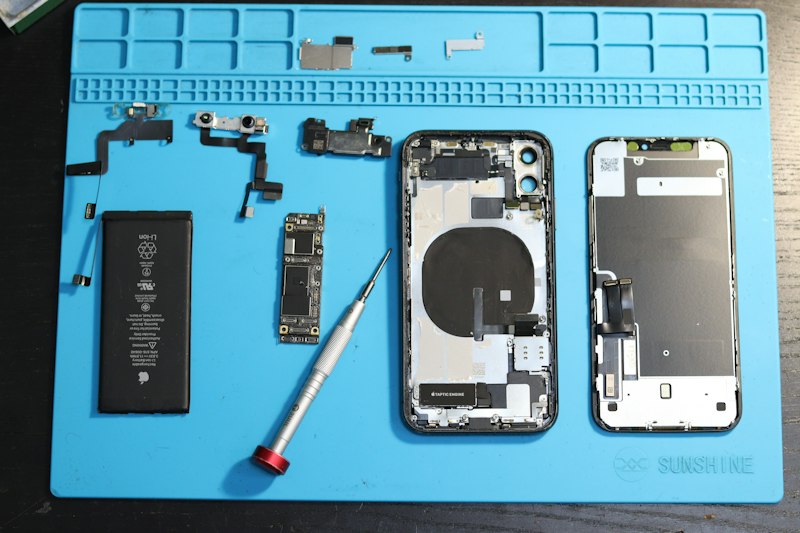
Smartphone spare parts and repair tools laid out on a repair mat

Bill the right party, with the right parts

Quotes, parts and invoices are tied to the ticket, and billing follows the warranty or SLA terms automatically.

  • Quotes after inspection
  • Warranty-aware invoicing
  • Material pick lists
  • Automatic purchase requests
09Cost Estimate & QuotationAccurate quotes after inspection.Estimate labour, parts, consumables and outsourced costs after inspecting the item, and send the customer a quotation.
10Flexible Customer BillingInvoice from the quote or from actual work.Bill from the approved quotation, or from parts used, technician timesheets and direct expenses, with courier fees and VAT applied. Technicians can collect payment on site through JobDor.
11Warranty & SLA-Aware BillingNever charge for what is covered, or give away what is not.Billing automatically applies warranty terms and annual maintenance agreements covering labour, parts or both.
12Back-to-Back BillingRecover the cost of covered repairs.Invoice the manufacturer for repairs under its warranty, or the sub-dealer or distributor under theirs.
13Material Pick ListParts requested from the bench, issued by the store.Technicians list the parts a repair needs, from JobDor or a web browser, and the pick list goes to the storekeeper for issue against the ticket.
14Spare Parts InventoryThe right part, even under another number.Check stock across stores, transfer and book items, use equivalent part numbers and barcodes, and generate purchase orders for missing quantities.
03 / 04

Task Work Orders, Maintenance & Checklists

Field technician servicing an outdoor air conditioning unit with a pressure gauge

Schedule every technician, measure every task

Task work orders, preventive maintenance and checklists keep technicians busy on the right jobs, with time measured on every task.

  • Drag-and-drop calendar
  • Check-in & check-out
  • Preventive maintenance cycles
  • Checklists with photos
15Task Work OrdersTurn tickets into scheduled work.Generate tasks from repair tickets or due preventive maintenance, or create stand-alone tasks, linked to a client or a ticket.
16Technician CalendarSee and balance the workload at a glance.Schedule tasks around customer appointments and technician specialisation, then drag and drop to reassign or reschedule.
17Check-In, Check-Out & TimesheetsReal time spent on every task.Technicians check in and out of each task, every employee logs time on the job, and alerts fire when time exceeds the estimate.
18Preventive MaintenanceFewer breakdowns, longer equipment life.Plan maintenance cycles by operating hours, odometer or counter, or months, and build an annual calendar of tickets and tasks with their checklists.
19Inspection ChecklistsNo job done without the right checks.Preset checklists by problem type, issued automatically, with to-do and to-check items, rating scales, guidance for technicians and photos per item.
20Checklist Alerts & KPIsFailed checks never go unnoticed.Get alerts on failed inspection items and measure checklist results in Dolphin Horizon dashboards.
04 / 04

Customer Portal, Survey & Analytics

Customer service agent with a headset helping customers at a help desk

Customers informed, managers in control

Customers follow their repairs themselves, rate the service when the job closes, and managers track every KPI that matters.

  • Online ticket submission
  • Repair status & history
  • Automatic satisfaction survey
  • Dashboards & alerts
21Customer PortalSelf-service for every customer.Customers submit tickets, name a coordinator, exchange notes and messages, follow repair status and delivery, and review all past repairs.
22Balances & Secure AccessInvoices and payments online.Customers check invoices, payments and balances, with user registration validated securely by your back office.
23Customer Satisfaction SurveyMeasure satisfaction after every repair.A survey is emailed automatically when a ticket closes. Scores are rated against targets and shown over time.
24Dashboards, KPIs & AlertsSpot problems before customers complain.Track response times, call-to-completion duration, repair types, job revenue and profitability, with alerts when tickets get no response in time.
JOBDOR MOBILE APP

Full Control in the Technician's Pocket

JobDor connects technicians in the workshop and in the field to Dolphin Horizon, so every task, part and minute is recorded where the work happens.

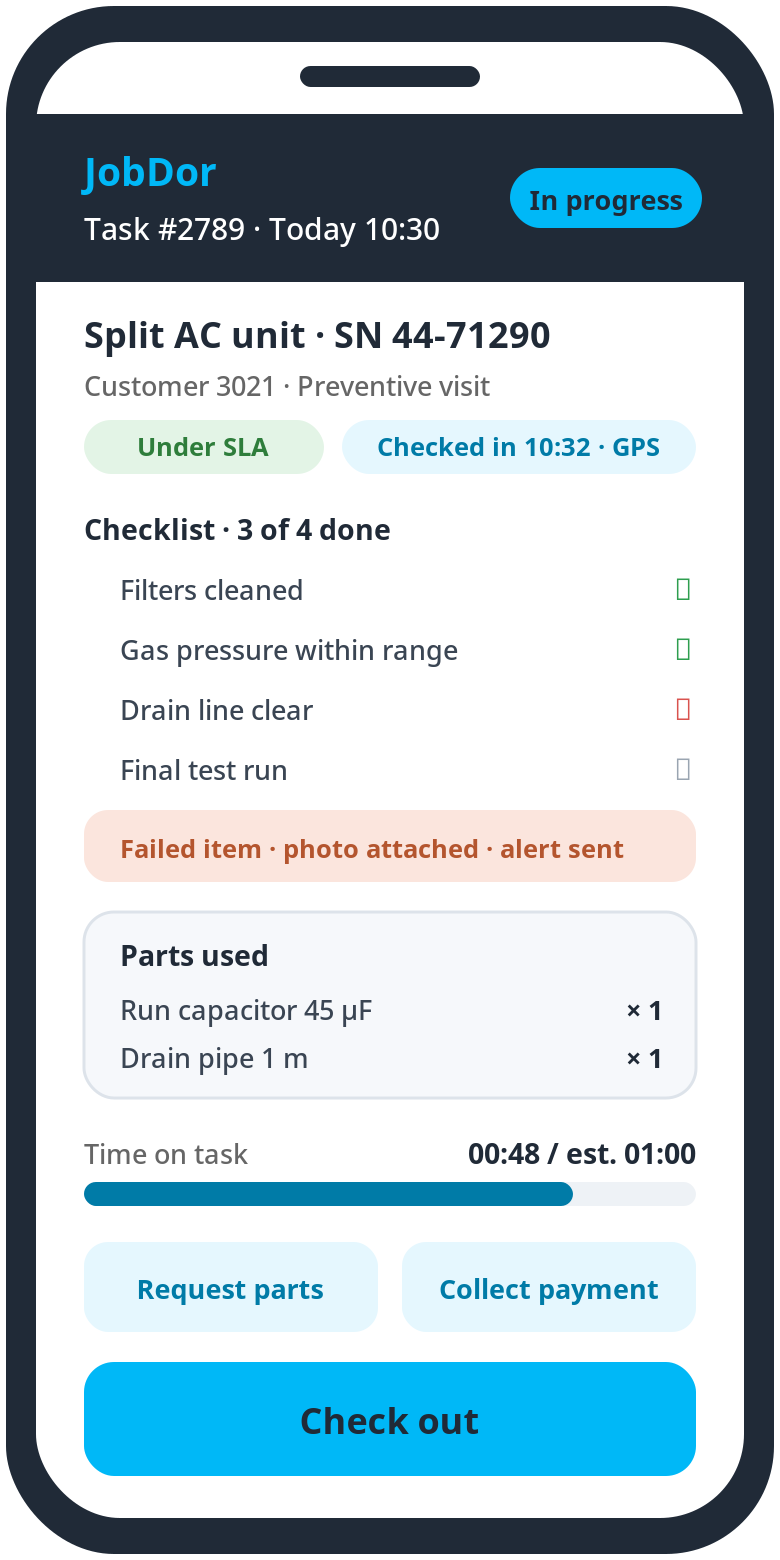
Illustrative JobDor mobile app work order showing technician tasks, checklists and job updates
Illustrative mobile workflow based on the supplied JobDor design

Tasks & job orders

See assigned task work orders and job orders, with customer, item and problem details.

Check-in & check-out

Record arrival and departure on each task, so time on site is measured automatically.

Checklists on the spot

Fill inspection checklists on the phone, with photos for each item.

Parts requests

Send material pick lists to the storekeeper straight from the job.

Timesheets & visit notes

Log working time and write visit reports without returning to the office.

Customers & locations

Open customer information and contacts, and get directions to the site on the map.

Payment collection

Collect the customer's payment on site and issue a receipt, synced straight to their account.

Works online and in sync

Every task, check, part and payment updates Dolphin Horizon, so the office sees progress live.

WHY DOLPHIN HORIZON

Why service centers move off paper and spreadsheets

When job cards, warranty lists and parts requests live in separate places, claims are missed and customers keep calling for updates.

Every desk, its own version

Different files and disconnected notes create delays, repeated work and poor visibility.

One connected process

Tickets, warranty, tasks, parts, billing and customer communication stay linked from start to finish.

Technicians stay aligned

Workshop and field teams update the same live job rather than reporting back later.

Management sees the whole picture

Dashboards highlight turnaround, workload, parts usage and service profitability.

THE CONNECTED ADVANTAGE

A service center connected to your whole business

Dolphin Horizon Service Center shares one system with inventory, purchasing, invoicing and accounts.

CONNECTED TO ERP

Connected to ERP

The repair, the spare parts it used and the invoice it produced are always connected.

DEPLOYMENT

Cloud or private servers

Run Dolphin Horizon in the cloud or on your own infrastructure.

PLATFORM FIT

Arabic and English

Work in the language your team needs, across front desk, workshop and finance.

EXAMPLE LOGO DISPLAY

How client logos could appear

Illustrative sample logos for layout preview only. Replace with approved client identities before publication.


Illustrative sample logo 1, not a real client endorsement
Illustrative sample logo 2, not a real client endorsement
Illustrative sample logo 3, not a real client endorsement
Illustrative sample logo 4, not a real client endorsement
Illustrative sample logo 5, not a real client endorsement
Illustrative sample logo 6, not a real client endorsement
FREQUENTLY ASKED QUESTIONS

Questions service centers ask

More detail on how Dolphin Horizon supports repair and service operations.

Which products and equipment can Dolphin Horizon Service Center handle?

Smartphones, televisions and home theatre systems, home and smart appliances, computers and laptops, wearables, medical equipment, marine equipment and heavy equipment, or any serialised item you repair or maintain.

Does it check warranty coverage automatically?

Yes. Looking up the item's serial number shows its repair history and its coverage: company warranty, manufacturer's international warranty, extended retail warranty or an annual maintenance agreement, including what is covered for labour and parts.

Can we bill the manufacturer or the sub-dealer instead of the customer?

Yes. Billing takes warranty and SLA terms into account. Repairs under the manufacturer's warranty can be invoiced to the manufacturer and repairs under a sub-dealer's warranty to the sub-dealer, with RMA reporting for certified service centers.

Can it manage repairs in the workshop and at the customer's site?

Yes. Repairs can take place in a workshop, in store for walk-in customers, with items sent by courier, or at the customer's premises. Technicians use the JobDor mobile app for tasks, check-in and check-out, checklists and parts requests.

Can technicians collect payments from customers?

Yes. Technicians can collect the customer's payment on site through the JobDor mobile app, and the collection syncs back to Dolphin Horizon against the customer's account.

What happens when a spare part is not in stock?

The material pick list shows availability across stores, suggests equivalent part numbers and automatically generates purchase requests for missing quantities.

Can customers follow their repairs online?

Yes. Through the customer portal, customers submit tickets, follow repair status, review their repair history and check invoices, payments and balances. A satisfaction survey is emailed automatically when each ticket closes.

Is Dolphin Horizon Service Center available in the cloud and in Arabic?

Yes. It runs in the cloud or on your own servers, and supports Arabic and English.

LET'S BUILD WHAT'S NEXT

Complex operations.
Clearer possibilities.

Tell us what your business needs. We'll show you how Dolphin can help connect the pieces.

Request a demo Local experts. Long-term partnership.
↑