Built for complex business. Made refreshingly simple.Beirut Dubai Riyadh
Distribution management. Connected to stock and finance.

Dolphin Horizon
Distribution Management

From Sales Order to Customer Doorstep. One Connected Process.

Take orders in the office or in the field, plan full trips, dispatch the right vehicles and drivers, capture proof of every delivery and collect payments on the driver's phone. Stock, invoices and customer accounts stay in step in Dolphin Horizon ERP.

INDUSTRY WORKFLOWS · CONNECTED TO DOLPHIN HORIZON
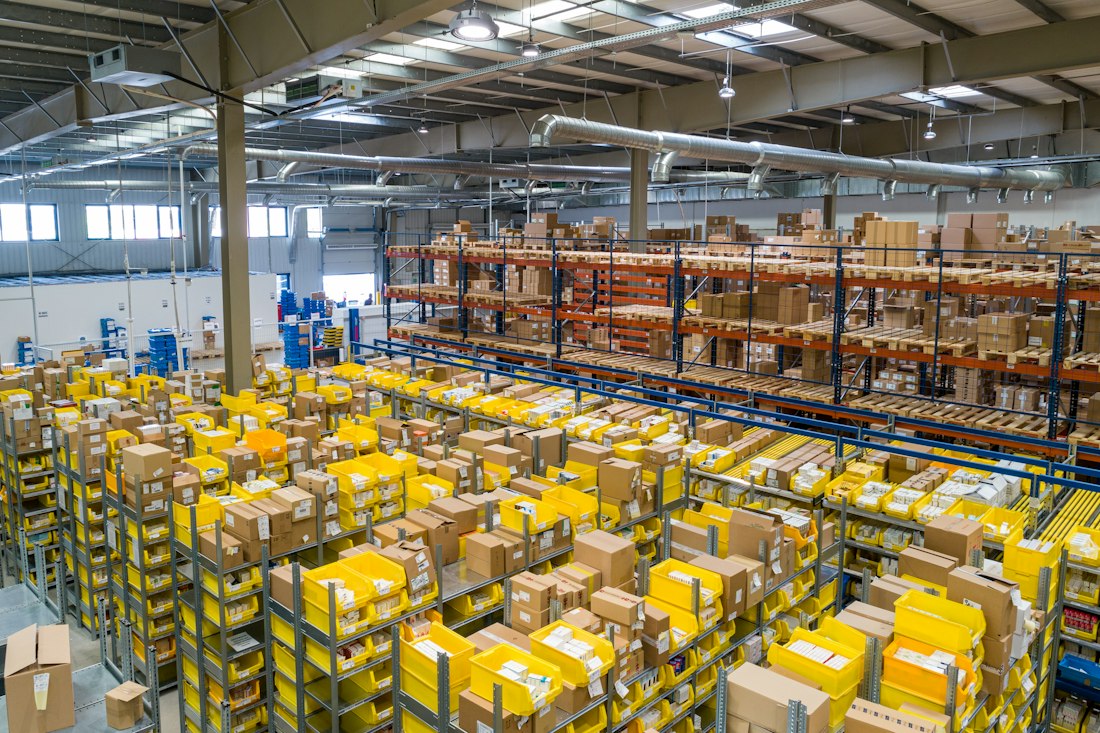
Distribution warehouse with stocked goods and delivery operationsOrders to delivery
Field to financeOne delivery flowDispatch · proof · collections
Sales ordersOffice & SellDor mobile
Stock controlDeducted once, at validation
Delivery planningTrips, routes, vehicles & drivers
Delivery & collectionProof of delivery & payments
Watch the tour

Dolphin Horizon Distribution in Action

A short guided tour of Dolphin Horizon Distribution, with the workflows, benefits and reports your team uses every day.

Business benefits

Fewer Trips. Accurate Stock. Proof for Every Delivery.

Connect sales, warehouse, planners and drivers so everyone works from the same documents, from the first order line to the customer's signature.

01

Sell Anywhere, Process Faster

Orders from the office and from sales reps in the field arrive in one place, already checked for credit, stock and pricing.

02

Fuller Vehicles, Fewer Trips

Consolidate deliveries by area, date, time window and vehicle capacity, and send each van out with a planned route.

03

Stock You Can Trust

Stock moves once, when the delivery document is validated. Anything the customer does not accept comes back through a proper return.

04

Proof and Payment at the Door

Drivers capture quantities, signatures, photos and location, and collect payment on the spot, so cash comes in faster and disputes are settled with evidence.

One connected workflow

From Sales Order to Signed Delivery

Each stage hands over cleanly to the next, from sales to warehouse, planners and drivers.

STEP 01

Capture the order

Office users enter the order, or sales reps submit it from the customer's premises with SellDor.

STEP 02

Validate & approve

Credit, balance, stock, prices, discounts and minimum quantities are checked. Exceptions wait for approval.

STEP 03

Issue the delivery document

Generate a Customer Delivery or an Invoice with Delivery. Validating it updates stock.

STEP 04

Plan, load & dispatch

Consolidate trips, sequence stops, assign a vehicle and driver, then confirm loading and departure.

STEP 05

Deliver, confirm & collect

Drivers follow the trip in FillDor, confirm what each customer received with signature and photos, and collect payment.

Every delivery stays linked, end to end

Sales order→Delivery document→Stock transaction→Trip→Proof of delivery
Who it is for

Built for Businesses That Deliver Every Day

For companies that take customer orders, prepare goods in warehouses and run their own delivery fleet.

Wholesale Distributors

Coordinate orders, warehouse preparation and multi-stop deliveries across many customers.

FMCG & Consumer Goods

Handle high order volumes, frequent visits and daily delivery routes.

Food & Beverage

Respect delivery windows, track batches and keep signed handover records.

Retail Supply

Connect store replenishment orders with planned, consolidated deliveries.

Importers & Traders

Link sales, stock movements and outbound deliveries with serial and batch tracking.

Multi-Warehouse Distributors

Plan deliveries from several warehouses and regions in one central planning screen.

Platform capabilities

Everything Your Distribution Operation Needs

Explore the key modules of Dolphin Horizon Distribution Management, from the first order to the last delivery confirmation.
01 / 04

Sales Orders & Approvals

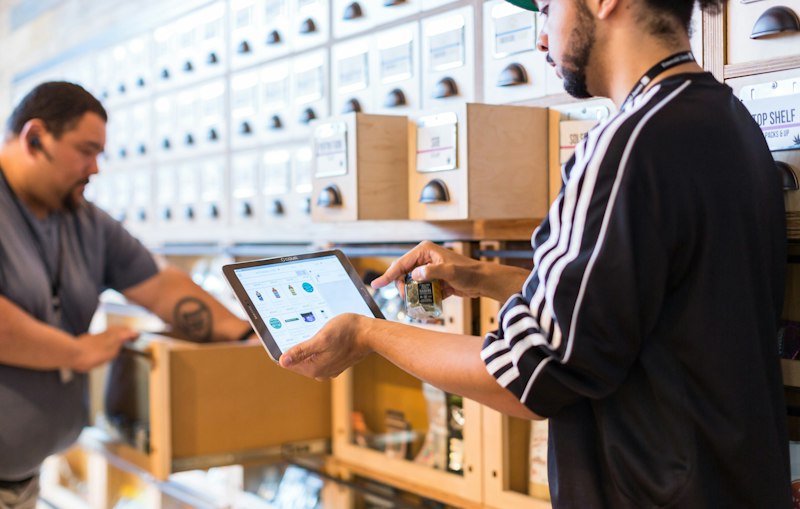
Sales representative reviewing an order on a tablet with a customer in a store

Every order checked before it reaches the warehouse

Orders from the office and from the field follow the same rules, so only valid, approved orders move on to delivery.

  • Office & mobile order entry
  • Credit & balance checks
  • Stock & pricing validation
  • Approval holds by policy
01
Office Order EntryFast entry for your sales and customer service teams.Create orders with customer and delivery address, items, prices, discounts, taxes, requested delivery date, payment terms and special instructions.
02
SellDor Mobile OrdersTake the order while you are with the customer.Sales representatives submit orders during customer visits. Orders synchronise with Dolphin Horizon for validation and processing.
03
Customer & Credit ValidationNo more deliveries to accounts that should be on hold.Check customer status, account validity, credit limit and outstanding balance before the order is processed.
04
Stock, Pricing & ApprovalsProtect your margins and your service levels.Validate stock availability, pricing, discount authorisation and minimum quantities. Orders needing approval stay on hold until released.
02 / 04

Delivery Documents & Inventory

Warehouse supervisor checking stock on a tablet

Stock moves once, at the right moment

The delivery document drives both the stock movement and the delivery itself, so inventory and delivery each keep their own clear status.
  • Delivery notes or invoices
  • Stock deducted on validation
  • Serial, batch & lot tracking
  • Returns & corrections
05
Customer DeliveryA delivery note generated straight from the order.Includes customer and address, the original order reference, items and quantities, warehouse, delivery date and instructions.
06
Customer Invoice with DeliveryInvoice and deliver in one step.Generate the invoice directly from the order with the delivery option enabled, including prices, discounts, taxes and payment terms.
07
Inventory Deduction on ValidationAccurate stock without double counting.Validating either document records the stock transaction. The later delivery confirmation never deducts the same quantities again.
08
Serial, Batch & Lot TrackingKnow exactly which units went to which customer.Record serial numbers and batch or lot information on delivery documents, and verify them at loading and at delivery.
09
Returns & CorrectionsHandle every difference the right way.Return undelivered goods to the warehouse, issue customer returns for rejected items, move damaged goods to a dedicated location or create a new delivery for the balance.
10
End-to-End TraceabilityOne click from the signature back to the order.Each sales order, delivery document, stock transaction, trip and delivery confirmation stays linked in a complete history.
03 / 04

Delivery Planning & Dispatch

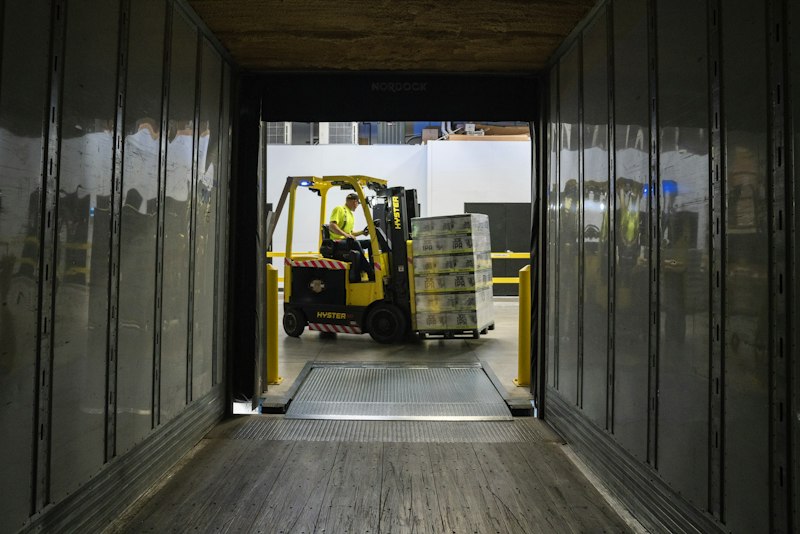
Forklift loading pallets into a delivery truck at a warehouse dock

Plan full trips, not single deliveries

A central planning screen lets planners group validated documents into trips, sequence the stops and match each trip to the right vehicle and driver.

  • Defined delivery routes
  • Consolidate by area & date
  • Check vehicle capacity
  • Confirm loading & departure
11
Pending Delivery SelectionSee everything that is ready to go.Filter validated documents by requested date, customer, address, area, warehouse, status and vehicle constraints. Only eligible documents can be planned.
12
Trip ConsolidationFewer trips and better use of every vehicle.Group several documents and customers into one trip by proximity, dates, priorities, time windows, capacity, weight, volume and handling needs.
13
Route PlanningStandard routes, adjusted when plans change.Define your delivery routes and the customers on each, set the visit sequence around customer time windows, and review or adjust it before confirming the trip.
14
Vehicle & Driver AssignmentNever overload a van again.Assign a vehicle, driver, departure time and stop sequence, with capacity checked against the planned quantity, weight or volume.
15
Loading & DispatchWhat leaves the warehouse matches the plan.Prepare goods per trip, confirm loaded quantities, verify serials and batches, and record the vehicle, driver and actual departure time.
16
Trip Released to the DriverThe plan goes straight to the driver's phone.Once confirmed, the trip and its delivery documents appear in the driver's FillDor app as the reference for the day's deliveries.
04 / 04

Mobile Delivery, Van Sales & Collections

Delivery driver in a high-visibility vest handing over a parcel at a customer's door

Deliver, sell and collect at the door

Drivers confirm what each customer received, sell from the van and collect payment, and every update reaches the office as soon as it syncs.

  • Signature, photos & GPS
  • Barcode & serial scanning
  • Van sales on the route
  • Payment collection
17
Driver's Delivery ScheduleThe whole day's route in the driver's pocket.Drivers see customers to visit, addresses and contacts, documents per stop, items and quantities, the stop sequence and instructions, and navigate to each location.
18
Delivery ConfirmationRecord what was really handed over.Confirm delivered quantities, scan barcodes, serials or batches, capture the customer's signature and photos, and add remarks.
19
Delivery ExceptionsProblems reported from the road, not discovered later.Create a visit note with the reason: customer unavailable, refused, wrong address, damaged or missing goods, or partial delivery.
20
Real-Time SynchronisationThe office sees what the driver sees.Delivered quantities, statuses, signatures, photos, remarks and undelivered balances are updated centrally, along with trip progress.
21
Delivery Status TrackingFully delivered, partial, failed or rejected.Track every document and trip by delivery status, kept separate from its inventory status, with complete history.
22
Distribution DashboardSpot bottlenecks before customers do.Monitor documents awaiting planning, trips, deliveries per driver, outcomes, on-time performance, lead times and exceptions.
23
Van SalesSell on the route, not just deliver.Drivers and van salesmen sell directly from the stock carried in the vehicle while on their route, with each sale recorded in Dolphin Horizon.
24
Payment CollectionGet paid at the door.Drivers collect customer payments during their visits, and collections sync back to Dolphin Horizon against the customer's account.
Mobile applications

Sales Reps and Drivers, Connected to the Office

Two Dolphin mobile apps extend the workflow to where the business really happens: at the customer.

FillDorTrip 03 · Stop 4 of 15PartialStore 214 · Main StreetCustomer Delivery · CD-10482Mineral water 1.5 L · caseValidatedAcceptedRejected1009010Reason: Goods damaged · photo attached◉2 photosGPS14:32 · savedCustomer signatureConfirm delivery
Sell

SellDor · Mobile Sales

Sales representatives create and submit customer orders during visits. Orders sync with Dolphin Horizon and go through the same validation and approval as office orders.

Fill

FillDor · Mobile Delivery

Drivers open their assigned trip, navigate to each customer, confirm delivered quantities, scan items, capture signatures, photos and location, and collect payments.

Example: the customer accepts 90 of 100 units

100Deducted at validation
90Accepted by customer
10Returned or re-delivered

Dolphin Horizon records both figures. The 10 units come back through a return, correction or damaged-stock transfer. They are never deducted twice.

Distribution visibility

Know What Is Planned, Delivered and Still Pending

The distribution dashboard gives managers one view of planning and execution, so they can spot bottlenecks, follow up on exceptions and act before customers call.

Awaiting planning

Customer deliveries and invoices with delivery not yet in a trip

Trips & drivers

Planned trips and deliveries assigned to each driver

Delivery outcomes

Completed, partial, failed and pending deliveries

On-time performance

Planned vs actual times and on-time delivery %

Lead time

Average time from document to delivery

Exceptions

Refusals, damaged goods and quantity discrepancies

Why Dolphin Horizon

Distribution Connected to Your Whole Business

Dolphin Horizon links the commercial documents that move your stock with the trips and mobile activity that complete each delivery. Sales, warehouse, distribution and finance all work from the same records, from the sales order to the customer's signature.

Connected to ERP

Orders, stock, invoices, customer accounts and credit limits live in the same Dolphin Horizon system.

Two statuses, one truth

Inventory status and delivery status are tracked separately, so you always know what left stock and what the customer received.

Arabic and English

Teams work in Arabic or English, in the office and on the road, across companies and branches.

Proof that settles disputes

Signatures, photos, timestamps and GPS stay attached to the delivery document for good.

Paper vs one system

Why Distributors Move Off Paper and Phone Calls

When delivery notes, driver calls and spreadsheets are the system, nobody knows what was really delivered until the customer complains.

Paper, calls & spreadsheets

Every team, its own version

  • Orders re-keyed from calls, emails and notebooks
  • Trips planned on a whiteboard, vans half empty
  • Signed delivery notes lost or returned days later
  • Stock adjusted twice, or not at all
  • Cash collected by drivers reconciled by hand
  • Managers learn about failed deliveries from customers
Dolphin Horizon Distribution

One connected process

  • Office and field orders validated in one place
  • Consolidated trips checked against vehicle capacity
  • Signature, photos and GPS synced from the doorstep
  • Stock deducted once, differences returned properly
  • Payments collected and synced from the route
  • Live dashboard of delivered, partial and failed stops
EXAMPLE LOGO DISPLAY

How client logos could appear

Illustrative sample logos for layout preview only. Replace with approved client identities before publication.


Illustrative sample logo 1, not a real client endorsement
Illustrative sample logo 2, not a real client endorsement
Illustrative sample logo 3, not a real client endorsement
Illustrative sample logo 4, not a real client endorsement
Illustrative sample logo 5, not a real client endorsement
Illustrative sample logo 6, not a real client endorsement
Frequently asked questions

Questions Distributors Ask

More detail on how Dolphin Horizon supports order-to-delivery operations.

Can sales representatives place orders from the field?

Yes. Sales representatives submit orders through the SellDor mobile app while visiting customers. Orders synchronise with Dolphin Horizon and go through the same validation and approval as orders entered in the office.

When is stock deducted?

Stock is deducted once, when the Customer Delivery or Customer Invoice with Delivery is validated. Confirming the delivery in the FillDor app records what the customer received and never deducts the same quantities a second time.

Can we deliver against invoices as well as delivery notes?

Yes. Both Customer Delivery documents and Customer Invoices with Delivery can be planned, consolidated into trips and delivered through the same workflow, while each keeps its own document type.

What happens if a customer accepts only part of a delivery?

The driver records the quantity accepted and the reason. Dolphin Horizon keeps the quantity deducted from stock and the quantity received side by side, and the difference is handled through a return, correction, damaged-stock transfer or new delivery document.

What proof of delivery is captured?

Delivered quantities, scanned barcodes, serial numbers or batches, the customer's digital signature, photos, remarks, the actual delivery date and time and, where enabled, the GPS location.

Can one trip serve several customers?

Yes. A single trip can combine many delivery documents and customers, grouped by area, dates, priorities, time windows and vehicle capacity by quantity, weight or volume.

Can drivers collect payments and sell from the van?

Yes. Drivers can collect customer payments during their visits, and van sales let them sell directly from the stock carried in the vehicle. Both sync back to Dolphin Horizon.

Is Dolphin Horizon available in Arabic and English?

Yes. Dolphin Horizon supports Arabic and English.

LET'S BUILD WHAT'S NEXT

Complex operations.
Clearer possibilities.

Tell us what your business needs. We'll show you how Dolphin can help connect the pieces.

Request a demo Local experts. Long-term partnership.
↑