Chapter 01
Acquisition & Tagging
Every asset capitalized at its true cost and identified on the ground.
- Assets from purchases or stock
- Freight, customs and installation capitalized
- Activation and assignment
- Barcodes and tag numbers

Capitalize Right. Depreciate Automatically. Know Where Every Asset Is.
Manage every asset from purchase to disposal in line with IAS 16: true capitalized cost, barcode tagging, automated depreciation by cost center and project, revaluations, impairments and sales, all linked to maintenance. Fully integrated with Dolphin Horizon accounting, stock and procurement.
 Every asset accounted for
Fixed Assets follows each asset through its life, from purchase to disposal. Read each chapter on this page, or download the brochure to share with your team.
Every asset capitalized at its true cost and identified on the ground.
A monthly engine that follows how each asset is really used.
Value changes and exits, handled the IFRS way.
Finance, maintenance and live performance data on one asset record.
Managing corporate assets is a strategic function that shapes financial reporting, operational efficiency and long-term investment decisions.
Capitalization, depreciation, revaluation and disposal follow IAS 16, with a full audit trail behind every figure.
Barcodes, locations and custody link each line of the register to a real, physical asset.
Depreciation follows the cost centers and projects where an asset actually works, not where it was bought.
Purchases, monthly depreciation, transfers and disposals post to the ledger automatically.
Every stage of an asset's life is traced, controlled and posted to finance automatically.
Assets arrive through procurement invoices, stock or an opening import.
ProcurementFreight, customs and installation are added, and the asset is activated for use.
Chapter 01Barcodes are printed and the asset is placed in a cost center, room or custody.
Chapter 01Each month, depreciation is calculated and allocated where the asset was used.
Chapter 02Tickets, preventive maintenance and sensor readings build the asset's history.
Chapter 04Value changes, sales and scrapping post with the right gain or loss.
Chapter 03Wherever assets are numerous, long-lived, spread across sites or tied to projects and maintenance.
Large machinery, generators and vehicle fleets with usage-based depreciation.
Assets across branches, subsidiaries and currencies in one register.
Equipment cost charged to each job it works on.
Assets located room by room and linked to maintenance.
IFRS reporting, audits and complex depreciation rules.
The True Cost of Every Asset, Linked to the Real Thing.
Assets enter the register from purchases, stock or an opening import, carrying every cost it took to get them working. Once activated, each one is tagged, located and ready to depreciate.
Chapter 01Depreciation That Follows Where Each Asset Really Works.
A fully automated engine calculates depreciation per asset and per day, allocates it to the cost centers and projects where the asset was used, and posts it to finance month by month.
 Chapter 02
Every Change in Value, Recorded the Right Way.
Reassess an asset's value at any point in its life, adjust its rate or useful life, capitalize upgrades, and retire it by sale, scrapping or donation, with the correct postings and a full audit log.
 Chapter 03
One Record for Finance, Maintenance and Performance.
Each asset carries its technical, operational, compliance and financial information, comes in ready-made from construction handover, and connects to maintenance and live sensor data.
 Chapter 04
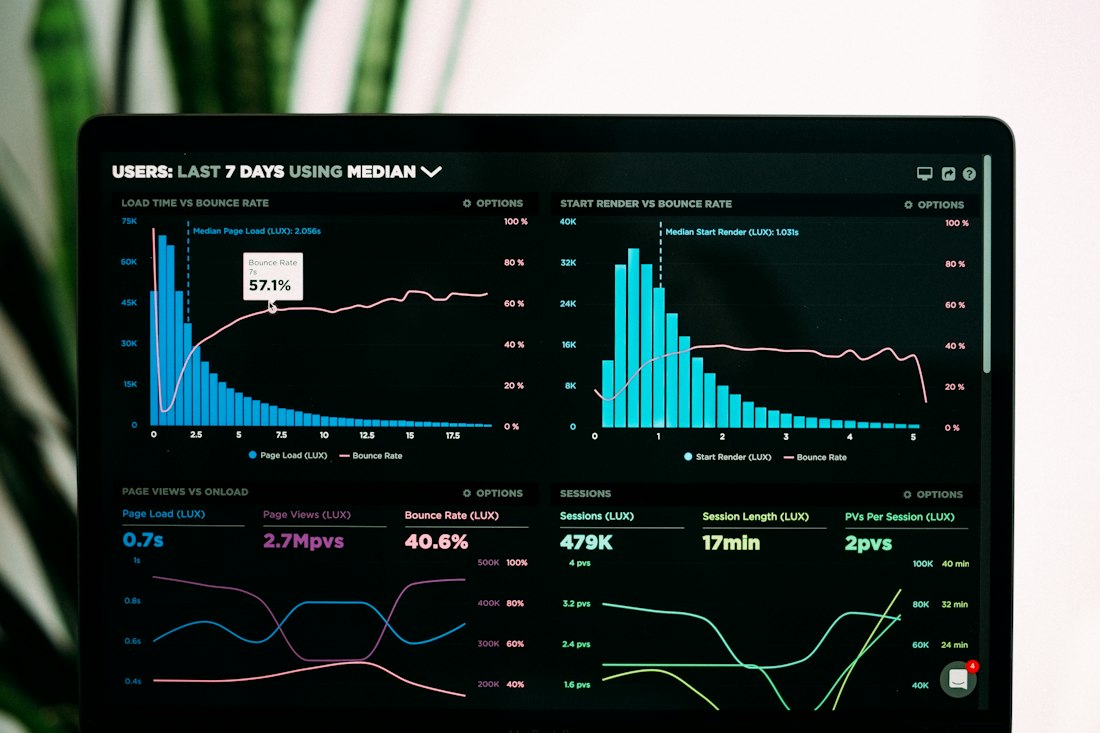
Reports that meet accounting standards and customizable dashboards show the value, location, cost and performance of your assets at any time.
Cost, accumulated depreciation and net book value by asset, class, location or company, at any month.
Monthly depreciation by cost center, project and asset class, with month-on-month comparison.
Transfers, locations and employee custody over time, ready for physical counts.
Value adjustments, impairments, sales and scrapping with proceeds, gains and losses.
Repairs, maintenance, warranties and utilization for each asset across its life.
Asset overview, depreciation, disposals and sales, and utilization dashboards, personalized for each user.
Filter, sort and export any asset inquiry to Excel.
Software Design has been building financial and business management systems since 1985. Fixed Assets unifies financial control, physical tracking, operational allocation and lifecycle governance in one module.
Fully integrated with Dolphin Horizon accounting, stock and procurement, Job Costing and CAFM.
Multi-branch, multi-company and multi-currency, for thousands of assets.
Posting sequences, period locks, privileged reversals and logs of every value change.
Existing registers come in from Excel, including straight from Visual Dolphin.
When the asset list lives in a spreadsheet, depreciation is calculated by hand, assets go missing and the books drift away from reality.
More detail on Visual Dolphin and Dolphin Horizon Fixed Assets.
Straight-line and units of production, where depreciation follows hours run, kilometres driven or pieces produced each month. Residual values, rate changes and retroactive adjustments are handled automatically.
Yes. Assets are capitalized at their true cost independently of where they are used, depreciation starts when the asset is available for use, and revaluations and impairments follow IAS 16 and IAS 36, with a full audit trail.
Yes. Fixed Assets is fully integrated with Dolphin Horizon accounting, stock and procurement. Purchases, depreciation, transfers, revaluations and disposals all post to the general ledger automatically.
Existing assets are imported from Excel with their cost, accumulated depreciation, residual value, supplier and location, and depreciation continues from the cut-off date. Several imports can be made, and the format matches the Visual Dolphin export for easy migration.
Yes. Depreciation follows the cost centers where an asset is used, day by day, and equipment used on jobs can be charged to each project through usage-based daily rates in Job Costing.
Yes. Barcodes and tag numbers are generated automatically, labels are printed in bulk, and assets can be scanned for transfers and physical inventory verification.
Yes. Assets appear directly in Dolphin Horizon CAFM and Service Center for tickets and preventive maintenance, with warranties, maintenance contracts, sensor readings and documentation kept on each asset.
Yes. Fixed Assets is available on both Visual Dolphin and Dolphin Horizon. Ask us which advanced features apply to the platform you use.
Tell us what your business needs. We'll show you how Dolphin can help connect the pieces.