Built for complex business. Made refreshingly simple.Beirut Dubai Riyadh
DOLPHIN HORIZON WORKER FACILITY MANAGEMENT

Every room. Every resident. Every service. Under control.

Replace registers, spreadsheets and phone calls with one system that shows the exact status of every camp, every day.

A connected solution for labor camps and workforce accommodation, linking space allocation, occupancy, contracts, guest records, call-center requests, assets and finance.

INDUSTRY WORKFLOWS · CONNECTED TO DOLPHIN HORIZON
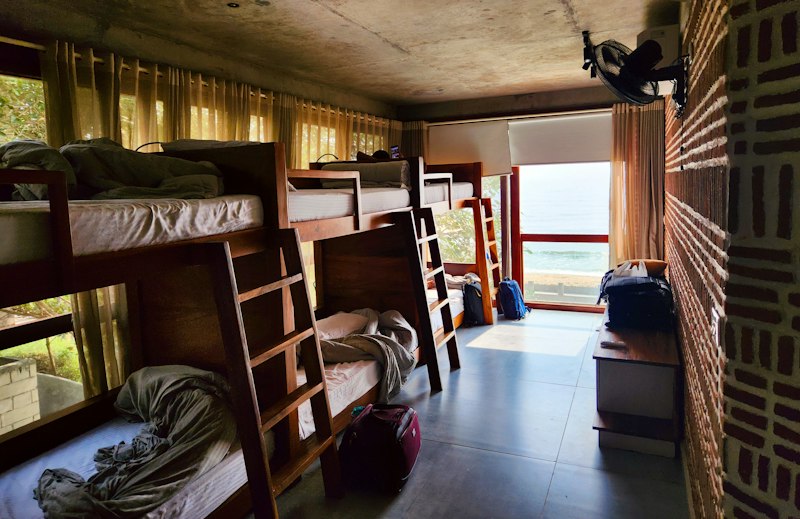
Furnished worker accommodation dormitory with organized room facilitiesOccupancy, connected
Across every campOne clear viewResidents · services · billing
Full occupancy controlKnow every room, bed and resident status
Accurate monthly billingContracts and check-outs drive invoicing
Faster maintenance responseComplaints become tracked work orders
Single operational viewCamp managers and finance work from one system
CONNECTED OPERATIONS

Maintenance teams connected across the camp.

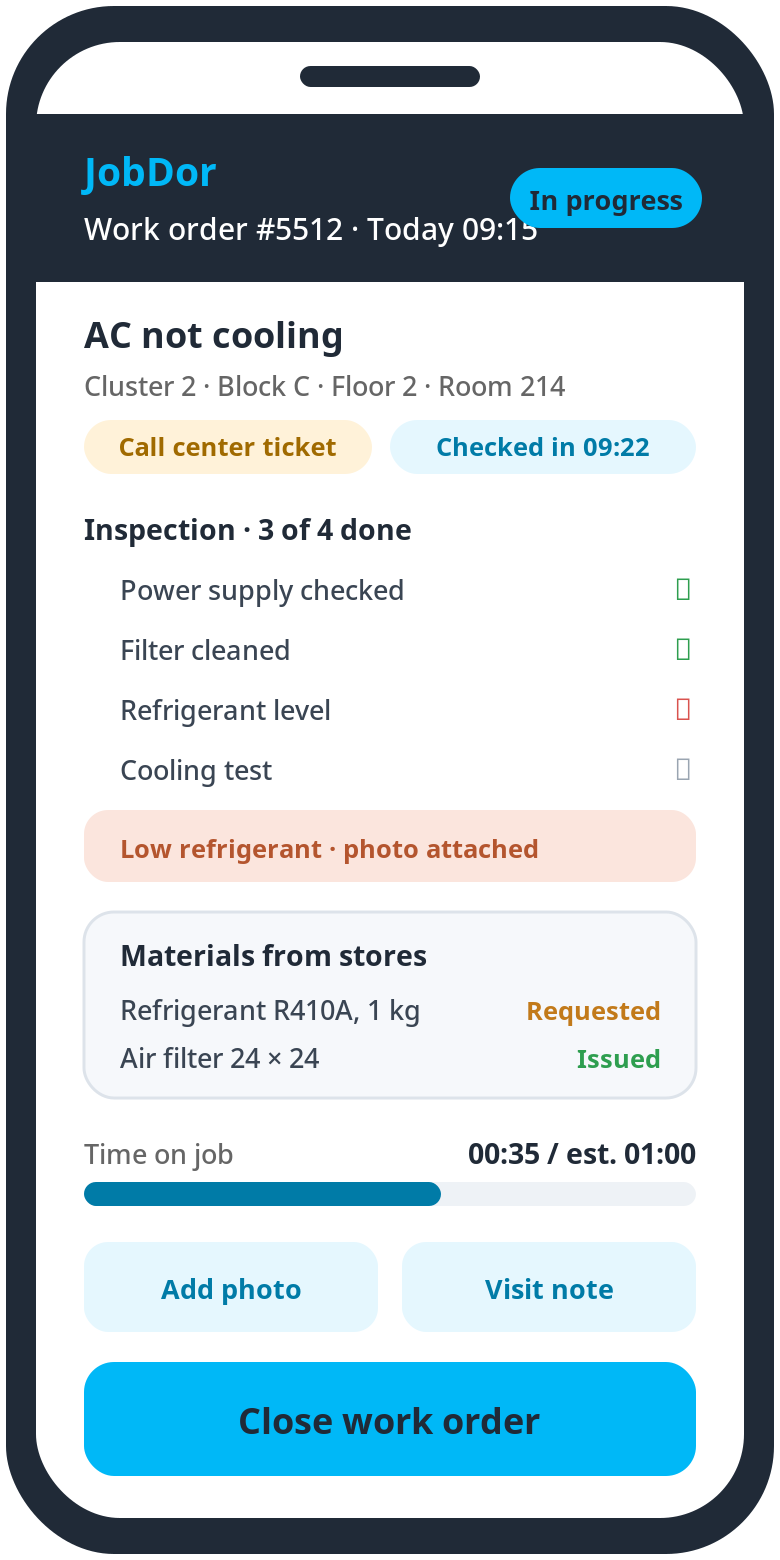
With the JobDor mobile app, technicians receive work orders on their phone, record what they did on the spot, and the call center sees progress without chasing anyone.

Technician performing camp maintenance on equipment
Maintenance and field teams with JobDor mobile
Watch the tour

Dolphin Horizon Worker Facility in Action

A short guided tour of Dolphin Horizon Worker Facility, with the workflows, benefits and reports your team uses every day.

BUSINESS BENEFITS

Full camps. Accurate billing. Total control.

Run rooms, residents, contracts and services from one connected operational platform.

01

Fill every room

See available beds, current occupancy and expected moves without relying on separate registers.

02

Bill every contract

Rental agreements, renewals and check-outs flow directly into invoicing.

03

Fix problems faster

Complaints become work orders with clear follow-up and accountability.

04

See the whole camp

Dashboards and day-end checks keep camp managers and leadership aligned.

ONE CONNECTED WORKFLOW

From contract to checkout

Every resident, room and service is managed in one flow, with finance updated as you go.

STEP 01

Set up the contract

Define the customer, location, room or bed agreement and commercial terms.

STEP 02

Check in & allocate

Assign residents to the right room and bed with live occupancy updates.

STEP 03

Deliver daily services

Manage meals, housekeeping, laundry and resident service requirements.

STEP 04

Maintain & keep safe

Register complaints, dispatch work orders and record incidents or corrective actions.

STEP 05

Invoice & report

Issue monthly invoices, produce MIS reports and review camp KPIs.

Every resident placed precisely

ClusterBuildingFloorRoomBed
WHO IT IS FOR

Built for organisations that house a workforce

For camp operators and employers who accommodate, feed and look after hundreds or thousands of workers.

Labour camp operators

Run dedicated camp operations with live room, bed and service information.

Construction contractors

Manage accommodation linked to site workforces and project needs.

Oil, gas & industrial sites

Support remote and high-volume workforce housing environments.

Facility management companies

Coordinate resident services and maintenance across multiple camps.

Manufacturing & logistics

Administer staff housing as part of broader industrial operations.

Staff housing providers

Maintain occupancy, contracts and services across rented accommodation.

PLATFORM CAPABILITIES

Everything your camp operation needs

Explore the key modules of Dolphin Horizon Worker Facility Management, from the first check-in to the monthly MIS report.

01 / 03

Residents, Rooms & Contracts

Residents, Rooms & Contracts — illustrative industry visual

Keep accommodation and occupancy in one view

Map camps, buildings, rooms and beds, assign residents and maintain contract and occupancy records that teams can rely on every day.

  • Camp and bed hierarchy
  • Resident allocation
  • Contracts and occupancy
01Accommodation StructureModel the camp exactly as it isOrganize clusters, buildings, floors, rooms and beds for full occupancy visibility.
02Check-In & Check-OutTrack every resident preciselyAssign each resident to a specific bed and record moves, exits and returns.
03Capacity OptimisationSee the true availabilityKnow which rooms are full, vacant, blocked or reserved at any time.
04Room & Bed Rental AgreementsBill according to the contractManage company agreements, rental periods, pricing and commercial responsibilities.
05Contract Reminders & RenewalStay ahead of expiriesReceive reminders for contract end dates and process renewals automatically.
06Tenant InvoicingInvoice on time every monthGenerate invoices at month end or on checkout with detailed supporting summaries.
02 / 03

Call Center, Maintenance & Resident Services

Call Center, Maintenance & Resident Services — illustrative industry visual

Resolve every resident service request

Connect your call center with maintenance teams and camp services so complaints become assigned tasks with clear status and follow-up.

  • Complaint tickets
  • Maintenance assignments
  • Resident service history
01Complaint RegistrationEvery issue starts with a ticketThe call center logs resident complaints and service requests with clear traceability.
02Work Orders with WorkflowMove maintenance requests into actionMaintenance teams receive assignments through a controlled workflow with status updates.
03Materials from StoresLink service jobs to inventoryIssue materials from stores or purchase what is missing for the job.
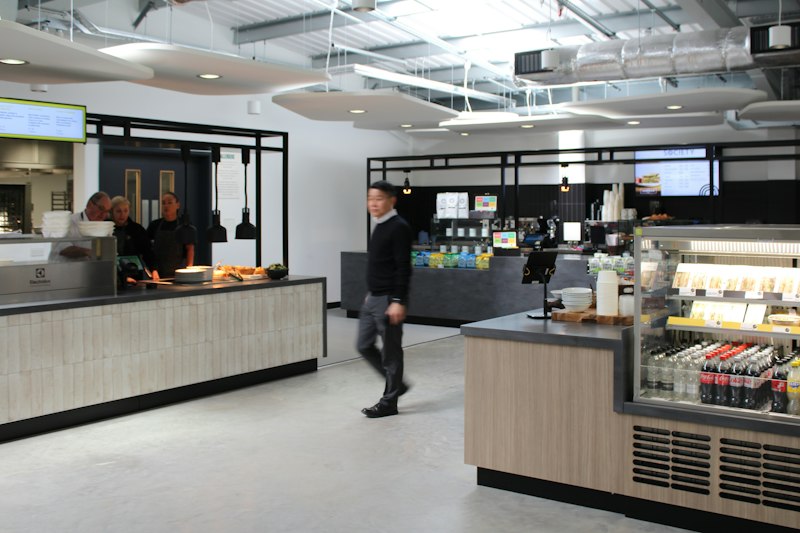
04Catering, Laundry & HousekeepingManage daily resident servicesTrack meal types, kitchen reports, laundry schedules and housekeeping issue items.
05Incidents & SafetyRecord what mattersDocument incidents, investigations, actions and compliance follow-up from one system.
03 / 03

Mobility, Insight & Financial Control

Mobility, Insight & Financial Control — illustrative industry visual

Bring field activity into financial reporting

Help supervisors and managers follow tasks, utilization, billing and operational results from one connected system.

  • JobDor field updates
  • Management visibility
  • Connected finance
01JobDor Mobile AppWork orders on the phoneTechnicians receive work orders, check in and out, add notes and sync live progress from site.
02Inspection ChecklistsStandardize field qualityCapture checklists, photos and visit details directly from the mobile workflow.
03Dashboards & Day-End ChecksKnow the exact status of every campReview occupancy, open complaints, pending work and department KPIs at a glance.
04Connected to ERPCamp operations connected to your financeEvery check-in, work order, purchase and invoice updates the books automatically.
05GCC VAT compliantCommercial and tax-ready billingIssue tenant invoices and procurement transactions in line with GCC VAT regulations.
JOBDOR MOBILE APP

Maintenance Teams Connected Across the Camp

With the JobDor mobile app, technicians receive work orders on their phone, record what they did on the spot, and the call center sees progress without chasing anyone.

Illustrative JobDor mobile app work order showing technician tasks, checklists and job updates
Illustrative mobile workflow based on the supplied JobDor design

Work orders on the phone

Technicians receive the jobs assigned to them from the call center, with the building, room and problem.

Check-in & check-out

Record arrival and departure on each job, so time spent is measured automatically.

Inspection checklists

Inspect the problem and confirm the repair with checklists and photos.

Materials from stores

Request the materials a repair needs straight from the job, for issue from the camp stores.

Visit notes & photos

Write what was found and done, and attach pictures as evidence.

Live job status

Every update syncs to Dolphin Horizon, so the call center and managers always see where each job stands.

WHY DOLPHIN HORIZON

Why camp operators move off registers and spreadsheets

When rooms, residents, complaints and contracts are tracked in separate files, beds sit empty, contracts lapse and problems go unanswered.

Every office, its own list

Manual logs and isolated files create uncertainty about who is staying where and what needs action.

One connected camp

Accommodation, resident services, maintenance, stores, billing and finance stay aligned in real time.

Faster service recovery

Complaints are logged, assigned and tracked to closure instead of getting lost in calls and notebooks.

Management visibility

Camp managers and leadership can see occupancy, service levels and financial impact from one dashboard.

THE CONNECTED ADVANTAGE

Camp operations connected to your finance

Dolphin Horizon Worker Facility Management shares one system with accounting, inventory and purchasing.

CONNECTED TO ERP

Connected to ERP

Every check-in, work order, purchase and invoice updates the books so reports are ready in one click.

COMPLIANCE

GCC VAT compliant

Billing and procurement comply with VAT regulations across the GCC.

USABILITY

Arabic and English

Use Dolphin Horizon in the language that works best for your teams.

EXAMPLE LOGO DISPLAY

How client logos could appear

Illustrative sample logos for layout preview only. Replace with approved client identities before publication.

Illustrative sample logo 1, not a real client endorsement
Illustrative sample logo 2, not a real client endorsement
Illustrative sample logo 3, not a real client endorsement
Illustrative sample logo 4, not a real client endorsement
Illustrative sample logo 5, not a real client endorsement
Illustrative sample logo 6, not a real client endorsement
FREQUENTLY ASKED QUESTIONS

Questions camp operators ask

More detail on how Dolphin Horizon supports workforce accommodation.

Can Dolphin Horizon track every room and bed in the camp?

Yes. Accommodation is organized by cluster, building, floor, room and bed so occupancy and available capacity are always up to date.

How are tenants and companies billed?

Room or bed rental agreements drive billing. Invoices are issued at month end or when a guest checks out, with detailed summaries and VAT treatment as required.

Does it remind us when contracts expire?

Yes. The system reminds you of expiring contracts and includes an automatic renewal tool.

How are maintenance complaints handled?

The call center registers each complaint and creates a work-order request that goes to maintenance through a workflow until the job is inspected and closed.

Can maintenance technicians work from their phones?

Yes. With JobDor, technicians receive work orders, check in and out, complete checklists, request materials and add notes and photos.

Does it cover catering, laundry and safety?

Yes. It manages meal types and kitchen reports, laundry schedules, housekeeping issue items and incident reporting.

Is it VAT compliant and available in Arabic?

Yes. Billing and procurement comply with VAT regulations across the GCC, and Dolphin Horizon supports Arabic and English.

LET'S BUILD WHAT'S NEXT

Complex operations.
Clearer possibilities.

Tell us what your business needs. We'll show you how Dolphin can help connect the pieces.

Request a demo Local experts. Long-term partnership.
↑