Chapter 01
Receiving & Delivery
Goods in and goods out, checked at the door.
- Receiving against POs
- Receiving by box
- Deliveries from sales orders
- Signature on screen

Receive, Deliver and Count. No Paperwork.
A mobile warehouse management app that covers the whole warehouse cycle: receiving goods from suppliers, delivering to customers, transferring between warehouses and counting physical inventory, online or offline, on iOS and Android. Fully integrated with Dolphin Horizon accounting, stock and procurement, or run standalone.
 Every movement, scanned
FillDOR handles your whole warehouse transaction cycle on mobile: receiving goods, delivering to customers and moving and counting quantities. Read each chapter on this page.
Goods in and goods out, checked at the door.
Stock in the right place, counted right.
Every item and every customer, one tap away.
Decisions on the go, rules from the office.
FillDOR replaces paper-based warehouse workflows with real-time mobile transactions, improving productivity, accuracy and flexibility.
Receiving, deliveries, transfers and counts are entered on the device, by barcode, as the work happens.
Goods received are checked against the purchase order while the truck is being unloaded.
Physical counts in sessions, compared with the book quantities before any adjustment is posted.
Offline mode keeps counting going in basements and remote stores, and syncs when connected.
Each movement is entered on the floor and reflected in the back office for checking, approval and posting.
Scan goods against the purchase order while unloading, and the office checks the discrepancies.
Chapter 01Request and transfer stock between warehouses in real time, or send and confirm transfers.
Chapter 02Count shelves in sessions, online or offline, and compare the result with the books.
Chapter 02Pick the sales order by barcode, deliver to the customer and capture the signature on screen.
Chapter 01One app for every warehouse transaction
From a single stockroom to a network of distribution centers and stores.
High volumes of receiving, picking and delivery every day.
Imports received by box and delivered against sales orders.
Store stockrooms requesting transfers and counting shelves.
Items with dimensions and specifications, delivered and signed for.
Raw materials received and finished goods dispatched and counted.
Goods In and Goods Out, Checked on the Spot.
Receive goods while the supplier's truck is being unloaded, against the purchase order, and deliver customers' sales orders by barcode with a signature on screen.
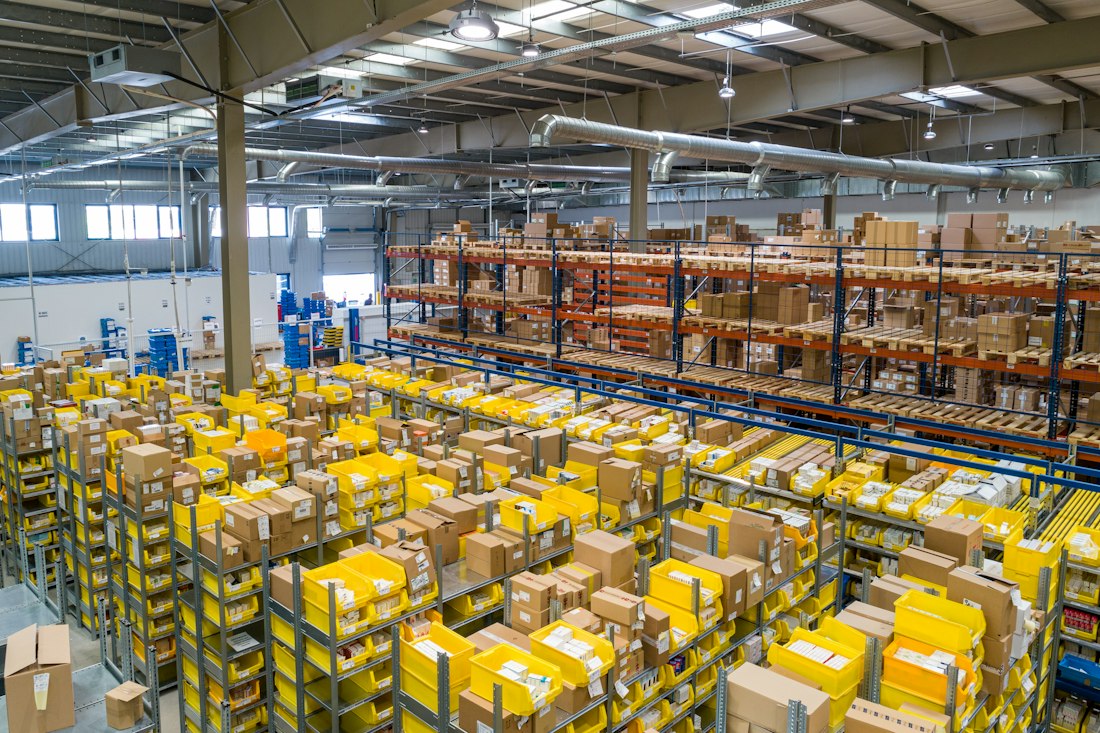 Chapter 01
Stock in the Right Place, Counted Right.
Request and move stock between warehouses in real time, then walk the aisles and count the inventory in sessions, online or completely offline, and send the results for approval.
Chapter 02Name the session for the warehouse, aisle or zone being counted.
Online or offlineEnter items by barcode or item code and adjust quantities as you go.
By barcode or item codeGo online and send the session to the back office.
During or at the end of the dayCounts are compared with the books, approved, and stock adjustments generated.
In the back officeEvery Item and Every Customer, One Tap Away.
Find items by brand, family or code with their pictures, see the stock in every warehouse, lots and expiry dates and equivalents, and open the customer's file and delivery history.
 Chapter 03
Approve on the Go. Run It From the Office.
Managers approve purchase orders from their phone, while the back office administers users, turns receipts and counts into transactions and follows warehouse activity in real time.
 Chapter 04
Summarized and detailed reports of your daily, monthly, yearly and historical warehouse activity, on the phone and in the back office.
Receipts, deliveries, transfers and counts for the day, with each user's check-in history.
Available, book, open purchase order and open sales order quantities by item and warehouse.
Counted against registered quantities, by session and warehouse, with the difference on each item.
Goods receiving, receiving by box, transfer requests, transfers in and out, and delivery orders.
Print labels or tags for specific items, including selling price labels after a price change.
Summarized and detailed views of warehouse activity over days, months and years.
Product inquiry and approvals are available from the same reports menu.
Software Design has been building financial and business management systems since 1985, for trading and industrial firms across the Middle East and North Africa. FillDOR brings that experience to the warehouse floor.
Fully integrated with Dolphin Horizon accounting, stock and procurement, or used on its own.
Physical counts continue without a connection and sync later.
Every receipt, delivery, transfer and count entered by scanning.
When receiving notes, delivery slips and count sheets are written by hand and typed in later, stock is wrong and discrepancies are found too late.
More detail on FillDOR, the Visual Dolphin and Dolphin Horizon mobile warehouse app.
FillDOR is a mobile warehouse management app that covers the warehouse transaction cycle: receiving goods, delivering to customers, transferring stock between warehouses and counting physical inventory, replacing paper-based workflows.
Yes. Physical counts can be done completely offline, with data stored on the device, and synchronized with the back office when the user goes online, during the day or at the end of it.
Goods are received on the spot while the supplier's truck is unloaded, against a purchase order or a purchase, by barcode or item code, or box by box. Saved receipts reach the back office for discrepancy checking, and returns to suppliers are handled the same way.
Deliveries are prepared from the customer's sales orders by barcode or item code. Once saved, the signature is captured on screen and printed with the delivery order.
Yes. FillDOR is fully integrated with Visual Dolphin and Dolphin Horizon accounting, stock and procurement. It can also run standalone, with only the main data created in its back office.
Yes. Purchase orders are listed by flow step according to company policy, and managers move each one to the previous or next approval step from their phone.
FillDOR is a cross-platform app that runs on Apple iOS and Android phones and tablets.
Yes. FillDOR prints labels or tags for specific items, including selling price labels.
Tell us what your business needs. We'll show you how Dolphin can help connect the pieces.