Built for complex business. Made refreshingly simple.Beirut Dubai Riyadh
Inventory, purchasing & sales. Connected to finance.

Dolphin Horizon
Inventory Control

Know What You Hold. Buy What You Need. Sell What You Promise.

Three products that work as one: Inventory Control, Purchase Order and Sales Order put every item, price, location, supplier and customer order under control, so you make sound purchasing and sales decisions. Fully integrated with Dolphin Horizon accounting, stock and procurement.

3 PRODUCTS · 1 SUPPLY CHAIN · CONNECTED TO DOLPHIN HORIZON
Large warehouse with racking, cartons and yellow picking binsStock under control
Purchase order to invoiceEvery item in viewStock · purchasing · sales
Inventory ControlItems, pricing & locations
Purchase OrderRequisition to landed cost
Sales OrderQuote to cash collection
ERP integrationAccounting, stock & procurement
The product suite

Three Products. One Supply Chain.

Each product has its own brochure. Read it as a chapter on this page, or download the PDF to share with your team.

Chapter 01 · Brochure

Inventory Control

Control over the inventory and item pricing, and indirectly over the entire business.

  • All item attributes in one single view
  • Weighted average and FIFO cost prices
  • Unlimited units of measure and price lists
  • Expiry date, lot and serial number tracking
  • Size and colour matrix for ready-to-wear
  • Automatic replenishment by location
Chapter 02 · Brochure

Purchase Order

Avoid buffer stock, late deliveries and shortages with enterprise-wide visibility of demand.

  • Requisitions from different buying units
  • Purchasing needs generated from reorder rules
  • POs generated from approved requisitions
  • Approval workflow for every purchase order
  • Consigned goods from suppliers
  • Landed cost allocated at any time
Chapter 03 · Brochure

Sales Order

Streamline the sales cycle and give your sales team accurate, immediate answers.

  • Quotes followed until confirmed as orders
  • Special pricing by client profile
  • Invoices on preset terms and conditions
  • Receivables on agreed payment schedules
  • Salesman commission schemes
  • Web Sales Order from any browser

Plus Chapter 04: Forecast & Risk Management for planning purchases, sales and customer exposure.

Business benefits

Turn Inventory Into a Performing Asset

Holding stock costs space, time and money. Get timely, accurate information on what you hold, what you have ordered and what you have promised.

01

Lower Holding Costs

Minimum levels, aging and replenishment suggestions keep the right quantities in the right place, without buffer stock.

02

Know Your True Cost

Weighted average or FIFO, with landed cost recalculated as customs and freight become known.

03

Keep Customers Happy

Instant visibility of available stock and customer credit lets your team answer quickly and deliver on time.

04

Control Every Approval

Transfers, purchase orders and quotes move through approval workflows defined by your organisation.

One connected workflow

From Requisition to Receivable

Every item flows through one system, so purchasing, the warehouse, sales and accounting always work from the same information.

STEP 01

Plan

Forecasts and reorder rules calculate what each location needs.

Forecast
STEP 02

Buy

Requisitions become approved purchase orders, supplier by supplier.

Purchase Order
STEP 03

Receive & cost

Goods are received and landed cost is allocated to each item.

Purchase Order
STEP 04

Store & move

Stock is tracked by location and bin, and transferred on approval.

Inventory Control
STEP 05

Quote & sell

Quotes become sales orders, delivered in full or in part.

Sales Order
STEP 06

Invoice & collect

Invoices post to receivables and the general ledger automatically.

Dolphin Horizon accounting
Chapter 01 · Items, pricing & locations.

Dolphin Horizon
Inventory Control

Every Item, Price and Location Under Control.

An item master built for easy access to item parameters, detailed inventory records, sales and purchase history and quantities on hand by warehouse. Fully integrated with Dolphin Horizon accounting, stock and procurement.

  • Manage all item attributes in one view
  • Apply different cost price methods
  • Monitor items in several units of measure
  • Track by expiry date or serial number
  • Control ready-to-wear by size and colour
  • Define unlimited price lists per item
  • Calculate replenishment needs by location
BROCHURE 01 · 8 PAGES · STOCK MASTER FILE · PRICING · LOCATIONS
Warehouse aisles with high shelving stocked with goodsBrochure 01
Inside this chapter21 featuresItems · pricing · locations
1.1

Stock Master File

01
Item FileCreate items quickly and identify them at a glance.Every item carries its descriptions, classification, units and custom data, ready for every report.
  • Item attributes: two descriptions in two languages, codes up to 21 characters, a photo or technical drawing, and a duplicate function
  • Classification by family, type and brand on a three-level hierarchy, reorganised any time
  • Multiple units of measure with fractional conversion factors per item and transaction type
  • User-defined fields as text, date, number, percentage or table, with entry constraints
02
Costing & HistoryThe cost method that suits your business.Cost and movement history are kept per item from the day it is created.
  • Weighted average or FIFO costing per item
  • Last purchase price and average cost in the two base currencies and the item's default currency
  • History & statistics comparing this year's purchases and sales with last year's, with drill-down to the detail
03
Fully Integrated with Dolphin Horizon ERPAccounting, stock and procurement in one system.Inventory Control shares one database with Dolphin Horizon accounting, stock and procurement.
  • Adjustments and counts post to the general ledger automatically
  • Purchases and sales update stock and accounts without re-keying
  • One item file shared by every Dolphin Horizon module
1.2

Item Pricing

04
Pricing & Price ListsA price for every market and customer category.Unlimited price lists per item in any currency and unit of measure, with standard and promotional prices active between set dates. Price changes are tracked for audit.
  • Price simulation: test a new price list, then apply it automatically once validated
  • Price list generator: reprice by family or supplier in an Excel-like grid showing cost prices, stock movements and stock age
  • VAT per item, applied at invoice entry to calculate VAT or sales tax automatically
05
Consigned Items & e-ShopStock you don't yet owe for, and a catalogue ready for the web.Handle goods held on consignment and publish what you sell online, from the same item file.
  • Consigned items received like normal purchases without affecting payables, with cost computed only when they are sold
  • Export to e-shop: flag items for your online store and export them on demand to a structured file
1.3

Location Management & Traceability

06
Locations & TransfersBranches, warehouses and outlets, down to the bin.Define as many locations as you need and move stock between them under control.
  • Unlimited locations as branches, storage sites or retail outlets, tracked up to bin numbers
  • Transfers with approval in a preset sequence, with delivery orders printed without values, at cost or at selling price
  • Global transfer from one location to many in a single grid, selected by group, family, brand or supplier
07
Replenishment & CountsBranches restocked, every adjustment explained.Keep each location stocked and every quantity change justified and posted to the general ledger.
  • Automatic replenishment from last sales or minimum stock, routed for approval
  • Requested, approved, shipped and received quantities reported side by side
  • In/Out transactions with a reason for every adjustment
  • Physical inventory and cycle counts without stopping receiving or shipping
08
Traceability & Bar CodesKnow where every unit came from and where it went.Trace from vendor to client across purchases, sales, transfers, manufacturing and In/Out transactions.
  • Expiry, lot and serial number tracking
  • Size and colour matrix on size scales that follow international standards, made for ready-to-wear
  • Several bar codes per item for different packaging or suppliers, with custom label design
End of chapter 01 · Inventory ControlNext chapter: Purchase Order
Chapter 02 · Suppliers, purchasing & landed cost.

Dolphin Horizon
Purchase Order

Buy What You Need. When You Need It.

Online access to current inventory and accounts payable records, so every purchasing decision is informed by real demand across the enterprise and the purchase-to-delivery cycle stays short.

  • Process requisitions from buying units
  • Generate needs from reorder rules
  • Generate POs from approved requisitions
  • Manage consigned goods from suppliers
  • Workflow for PO authorisation
  • Settle invoices on agreed terms
  • Allocate cost elements at any time
  • Query trends by supplier, date, item
BROCHURE 02 · 6 PAGES · SUPPLIER CATALOGUE · PURCHASES · COSTING
Buyer reviewing and signing a purchase document at a deskBrochure 02
Inside this chapter9 featuresSuppliers · purchases · costing
2.1

Suppliers & Purchasing

01
Supplier FileEverything about every vendor, entered once.Third parties are created once in one address book and flagged as supplier, client or both, so every module shares the same information.
  • Supplier information: category, main business, contacts, address and default purchasing currency; inactive suppliers blocked but kept for history
  • Reorder parameters: frequency, minimum stock holding and lead time to calculate order quantities
  • Debit limits and payment terms to protect cash flow
02
Purchase PreparationSuggested quantities, with the reasons shown.Requisitions are generated from reorder data, filtered by supplier, family or brand, using past sales or forecasts. The grid shows average monthly sales, quantity on hand and days on hand.
03
Purchase Orders & ApprovalQuick, efficient and controlled.Pick a supplier to list their items, check stock on line and order in any unit of measure. Orders stay open until fully received; remaining quantities can be cancelled.
  • Approval workflow following your organisation's routing, from quotation to approved order
  • Status changes limited to users with the right privileges
2.2

Costing & Settlement

04
Consignment OrdersBuy on consignment without touching payables.Consigned purchase orders are processed like normal purchases but don't affect accounts payable. Item cost is computed only when sold.
05
Payment Schedule & SettlementPayables that follow your agreements.Schedules set on goods receipt create payables with due dates from supplier terms. Pay specific invoices, settle part or all of a balance, or allocate advances later.
06
Landed Cost CalculationSell now, finalise cost later.Allocate one shipment across several purchases and suppliers. When all elements such as customs are known, cost prices are recalculated retroactively on earlier sales.
End of chapter 02 · Purchase OrderNext chapter: Sales Order
Chapter 03 · Quotes, orders & invoicing.

Dolphin Horizon
Sales Order

From First Quote to Final Payment.

Immediate access to up-to-date inventory and customer account information lets your sales team give accurate, quick answers at every step of the sales cycle.

  • Follow quotes until confirmed as orders
  • Special pricing by client profile
  • Invoice on preset terms and conditions
  • Generate needs from reorder rules
  • Manage receivables on agreed schedules
  • Define salesman commission schemes
  • Query trends by client, date, item
BROCHURE 03 · 6 PAGES · CLIENT CATALOGUE · SALES CYCLE · COMMISSIONS
Sales assistant serving a customer at a counter with a tabletBrochure 03
Inside this chapter9 featuresClients · orders · invoicing
3.1

Clients & Pricing

01
Client File & CreditKnow who you sell to, and sell with less risk.Classify clients by category and record their main business, contacts, invoice currency and default salesman, with unlimited user-defined fields. Inactive clients are kept for history.
  • Credit limits checked on every sales order and direct invoice
  • Payment terms that reduce bad debts and improve cash flow
02
Price Lists & DiscountsThe right price for every client, automatically.Each client has a default price list and an optional special price list that is checked first. A default discount is proposed, with an additional discount on top if needed.
03
Quotes & Sales OrdersEvery quote followed, every order delivered.Quotes carry the client, salesman, warehouse, items and prices, and become sales orders automatically once confirmed, with statistics on lost, postponed and confirmed quotes.
  • Delivery after stock and credit checks, in full or in several partial deliveries
  • Orders stay open until fully delivered or closed
3.2

Orders, Invoicing & Commissions

04
Web Sales OrderTake orders anywhere.Create, edit and follow customer orders in a web browser, with the same credit limits, overdue balances, available quantities, special prices and discounts as the back office.
05
Invoicing & Payment ScheduleFast invoicing, receivables you can rely on.Enter invoices directly or from a sales order or delivery, with returns. Credit limits are checked on save and can be overridden only by authorised users.
  • Payment schedule creating receivables with due dates from each client's agreed credit terms
06
Salesman CommissionsReward the results you want.Set rates by family, brand or both, on quantity sold or net sales against brackets or targets, or as a lump sum. Month-end results appear in a grid you can review.
End of chapter 03 · Sales OrderNext chapter: Forecast & Risk
Chapter 04 · Planning & control.

Forecast &
Risk Management

Plan Ahead of Demand. See Every Exposure.

Plan purchases and sales ahead of demand, and see each customer's full exposure before you extend more credit.

  • Forecasts from history and trends
  • Salespeople's and buyers' estimates
  • Total risk per customer
  • Interest on charged risk
CHAPTER 04 · FORECAST · CUSTOMER RISK MANAGEMENT
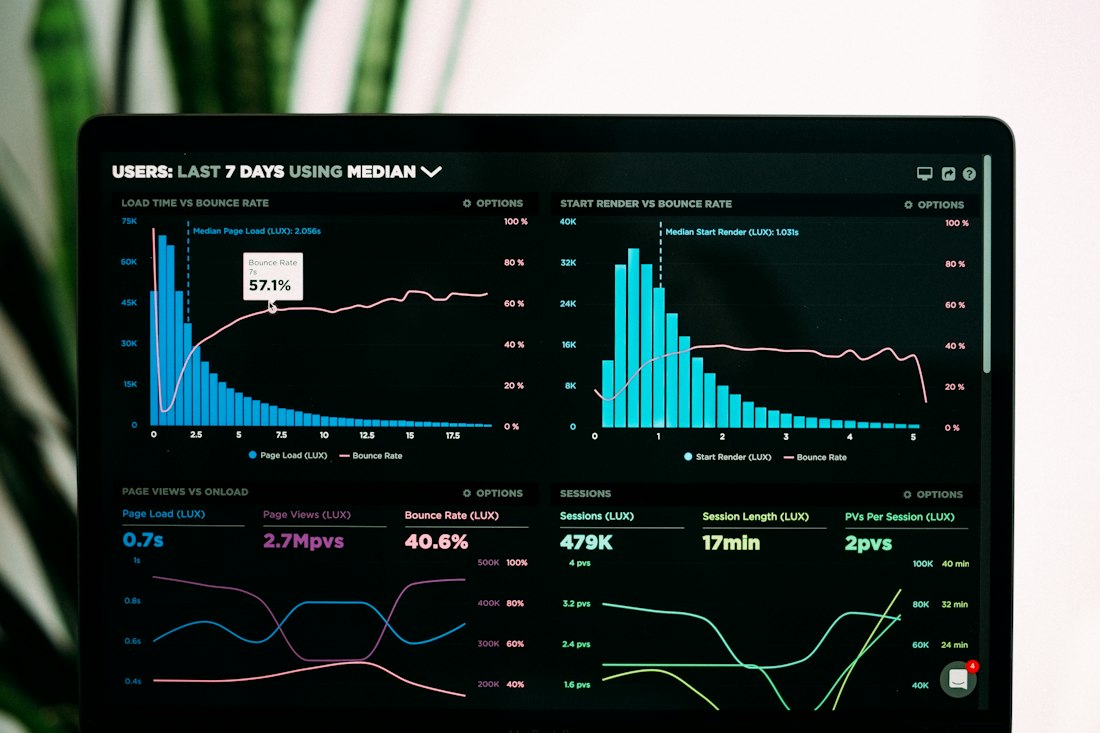
Laptop screen showing business charts and analyticsPlanning
Inside this chapter2 featuresForecast · customer risk
4.1

Planning & Control

01
Sales & Purchase ForecastAvoid cash flow surprises.Build forecasts from historical data, market surveys and trends, salespeople's estimates and buyers' budgets, and use them to plan purchasing and manage financing needs.
02
Customer Risk ManagementThe real exposure of every customer.Total risk combines the accounting balance, unsettled bills, uncollected post-dated cheques and goods sold but not yet delivered. Interest on charged risk is calculated automatically, and statements show risk against credit limit.
End of chapter 04 · Forecast & RiskNext: Reports & analysis
Chapter 05 · Reports & analysis

Insight Into Every Item, Order and Customer

Powerful, customisable reports and drill-down analysis help you optimise stock levels and decide which items to carry and which to discontinue.

01

Stock Position & Valuation

Follow stock status, valuation and revaluation by item, location and period, with month-to-month analysis.

02

Movements & Counts

Trace every movement and the history of an item, and compare physical counts with system quantities.

03

Replenishment & Aging

Spot items below minimum, slow movers and aging stock before they become a cost.

04

Purchasing & Receipts

Follow purchase orders, expected deliveries, receipts and purchasing statistics by supplier and period.

05

Sales, Deliveries & Commissions

Analyse orders, invoices, deliveries, royalties and salesman performance by client, item and period.

06

Dashboards & Profit Analysis

An analytical platform for decision makers, with drill-down and month-by-month profit analysis of each item comparing past pricing and sales.

Filter and sort any report by item, family, brand, location, supplier, client or period, and export the results to Excel, RTF or ASCII.

Why Dolphin Horizon

Designed for Demanding International Requirements

Software Design has been building financial and business management systems since 1985. Inventory Control, Purchase Order and Sales Order integrate your major business processes into one precise, efficient workflow.

Fully integrated ERP

Fully integrated with Dolphin Horizon accounting, stock and procurement, so nothing is keyed in twice.

Multi-company, multi-branch

Run several companies at once and support remote branch operations.

Local standards

Complies with a wide variety of national accounting standards, with VAT handled per item.

Secure by design

Access to every crucial business process is monitored, with approvals tied to user privileges.

Spreadsheets vs one system

Why Teams Move Off Spreadsheets

When stock, purchasing and sales live in separate files, counts drift, costs are guessed and customers wait for answers.

Spreadsheets & separate tools

Every department, its own version

  • Stock known only after a manual count
  • Cost prices estimated, landed costs missed
  • Reorders based on gut feeling
  • Transfers and POs approved by email
  • Invoices re-keyed into accounting
Visual Dolphin & Dolphin Horizon

One centralised system

  • Stock on hand by location and bin, in real time
  • Weighted average or FIFO, with retroactive landed cost
  • Replenishment suggested from sales and minimums
  • Approval workflows for transfers, POs and quotes
  • Fully integrated with accounting, stock and procurement
Frequently asked questions

Questions Buyers Ask

More detail on Visual Dolphin and Dolphin Horizon Inventory Control, Purchase Order and Sales Order.

What does Visual Dolphin and Dolphin Horizon Inventory Control include?

Three products that work as one: Inventory Control for items, pricing and locations, Purchase Order for requisitions, purchasing and landed cost, and Sales Order for quotes, orders, invoicing and commissions, plus sales and purchase forecasting and customer risk management.

Is Inventory Control integrated with accounting?

Yes. Inventory Control, Purchase Order and Sales Order are fully integrated with Dolphin Horizon accounting, stock and procurement. Stock adjustments, physical counts, purchases and invoices post to the general ledger, payables and receivables automatically.

Which costing methods are supported?

Weighted average cost and First In, First Out (FIFO). Landed cost can be allocated across several purchases and suppliers, and recalculated retroactively once all cost elements such as customs are known.

Can we manage stock across several branches and warehouses?

Yes. You can define an unlimited number of locations tracked down to bin level, transfer goods with an approval workflow, replenish branches automatically and distribute stock from one location to many in a single global transfer.

Can we track expiry dates, lots and serial numbers?

Yes. Items can be traced by lot, expiry date or serial number from the supplier to the customer, across purchases, sales, transfers, manufacturing and In/Out transactions.

Is Inventory Control available on both Visual Dolphin and Dolphin Horizon?

Yes. Inventory Control, Purchase Order and Sales Order are available for both Visual Dolphin and Dolphin Horizon.

Can sales staff enter orders remotely?

Yes. Web Sales Order lets your team create, edit and follow customer orders from a web browser, with the same credit limits, available quantities, special price lists and discounts as the back office.

Can reports be exported?

Yes. All report data can be exported to Excel, RTF or ASCII files for further analysis.

LET'S BUILD WHAT'S NEXT

Complex operations.
Clearer possibilities.

Tell us what your business needs. We'll show you how Dolphin can help connect the pieces.

Request a demo Local experts. Long-term partnership.
↑